Many website administrators have found themselves having to spend their precious time on this earth adding and maintaining mitigations because LLM companies and the cadre of people tripping over themselves to get in on the action are jackhammering websites with requests. Much of this is large companies scraping for training data, but looking at how tools like Claude, Copilot, etc. make requests of websites, individual users are likely contributing to this problem as well. There are enterprise solutions to this problem where you can buy a subscription and get the functionality I am about to show you, but that's not what Screaming at the Silicon is about.
It's about living at a constant near-boil rage that people are actively trying to smother everything good in the world and loosing that anger upon your personal computers until you have something that might suck in a thousand ways but not in the specific way we are mad about. Today, we're mad about the clankening of our commons, and this post will outline how to reduce the burden on the beautiful web administrators of the world by keeping requests local and only hammering on your own hardware.
We will use the neuledge/context repository to set up a Model Context Protocol (MCP) server that we can wire into Jan.ai or the Crush CLI.
Before You Begin
I want to note that this tutorial targets Linux systems. This tutorial was written against an Arch based distribution.
Some documentation or information on hand that you want the bot to reference. I, of course, will have my own examples, but this walkthrough will be more useful to you if what you set up is immediately useful.
Local Installation
Run sudo npm install -g @neuledge/context
Test the installation with context
Expected output:
Usage: context [options] [command]
Local-first documentation for AI agents
Options:
-V, --version output the version number
-h, --help display help for command
Commands:
add [options] Install a documentation package from file, URL, GitHub, git repo, website (llms.txt), or local directory
list Show installed packages
remove Remove a documentation package
serve [options] Start the MCP server
query Query documentation from an installed package
browse [options] Search for packages available on the registry server
install [options] [version] Download and install a package from the registry server
auth Manage per-platform authentication (cookies, headers)
help [command] display help for command
Adding Documentation
There is a community-maintained registry of documentation, but its curation is fairly limited. If you want something that exists in the registry, you won't need to take action beyond running Context. If what your required documentation is missing, you can add documentation of your own that the server will expose to your LLM assistants.
There are multiple ways to add documentation to Context; I will demonstrate two here.
Adding from URL
Context prefers Markdown, but it can parse HTML files. If you cannot find the documentation in a discrete Git repository, you can add nearly anything from the web.
context add https://go.dev/doc/effective_go
Trying https://go.dev/doc/effective_go/llms-full.txt...
Trying https://go.dev/doc/effective_go/llms.txt...
No llms.txt found. Fetching page content directly...
Building package...
✓ Built package: go.dev-doc-effective-go@latest
✓ Saved to /root/.context/packages/go.dev-doc-effective-go@latest.db
You will notice that this is a regular but I found that if it sees github.com URL, it will default to attempting git clone. I have not tried this with other forges.
The output of that command will look like:
Cloning https://github.com/fyne-io/docs.fyne.io...
Fetching tags...
No tags found, using HEAD.
✔ Package name: docs-fyne
✔ Version: latest
✓ Reading from repository root
✓ Found 1558 markdown files
Building package...
✓ Built package: docs-fyne@latest
✓ Saved to /root/.context/packages/docs-fyne@latest.db
Checking Installed Packages
To check what packages are available on your system: context list
If you want to explore your installed pacakges , the command line interfacesexposes methods for querying what packages are installed.
Limitations
While there are multiple ways to add a project, do note there are limitations. I attempted to add a PDF of hardware documentation so that I could test querying against that, and this service does not have that capability.
Running the server
context serve --http 8080
Context MCP Server starting...
Loaded 2 packages: docs-fyne@latest, go.dev-doc-effective-go@latest
Listening on http://127.0.0.1:8080/mcp
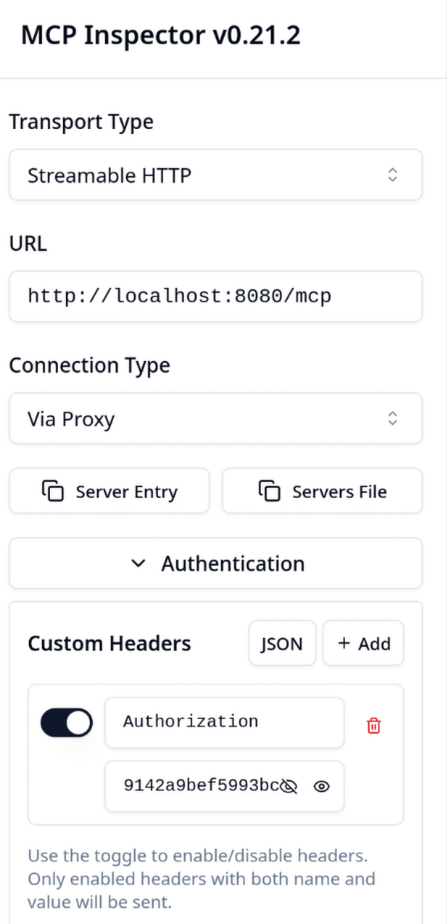
Validate the server by running npx @modelcontextprotocol/inspector
Expected output:
Starting MCP inspector...
⚙ Proxy server listening on localhost:6277
🔑 Session token: f6b318bf9028be0688955b92e704b54c63a4bae153d8effe59142a9bef5993bc
Use this token to authenticate requests or set DANGEROUSLY_OMIT_AUTH=true to disable auth
🚀 MCP Inspector is up and running at:
http://localhost:6274/?MCP_PROXY_AUTH_TOKEN=f6b318bf9028be0688955b92e704b54c63a4bae153d8effe59142a9bef5993bc
🌐 Opening browser...
New StreamableHttp connection request
Open the MCP inspector link from the output.
In your browser, turn on the custom headers and paste the Session token into your custom headers.
Wiring up the MCP
We have a server running on your own hardware. It has information that your bot is hungry for. We are approaching the moment where, instead of mugging some self-hosted documentation repository, you can just query the infrastructure you have set up. Let's wire the Model Context Protocol server into the tools.
Jan.ai
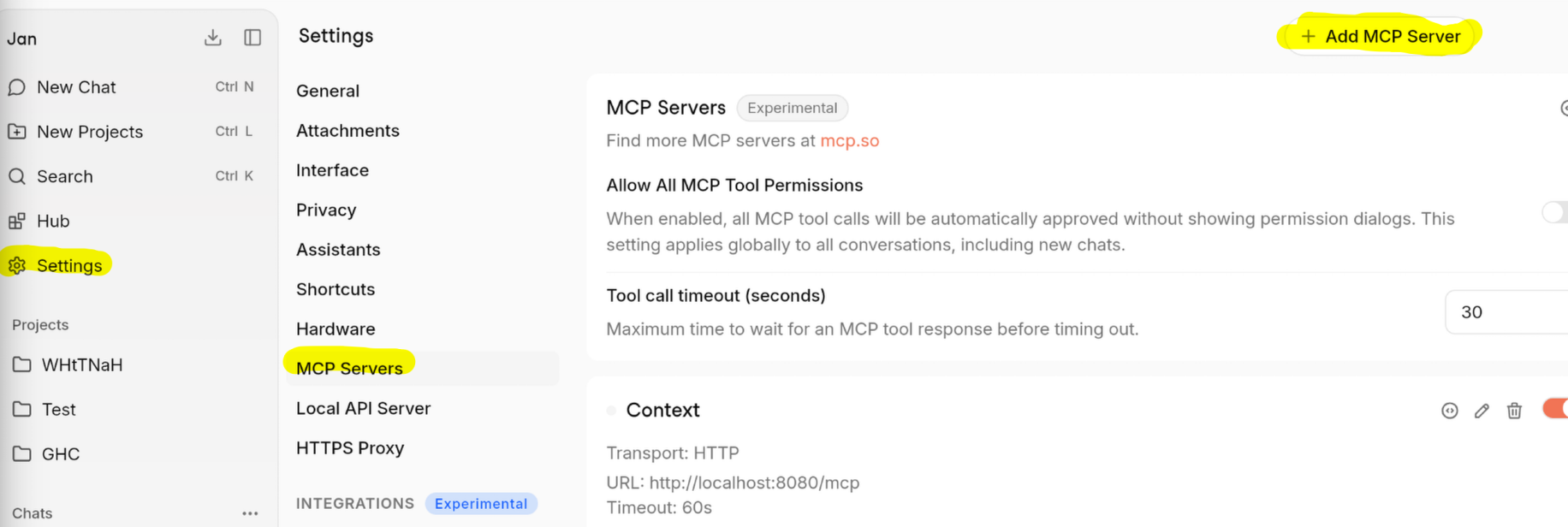
In Jan, navigate to your settings then the MCP Servers section and click the + Add MCP Server button.
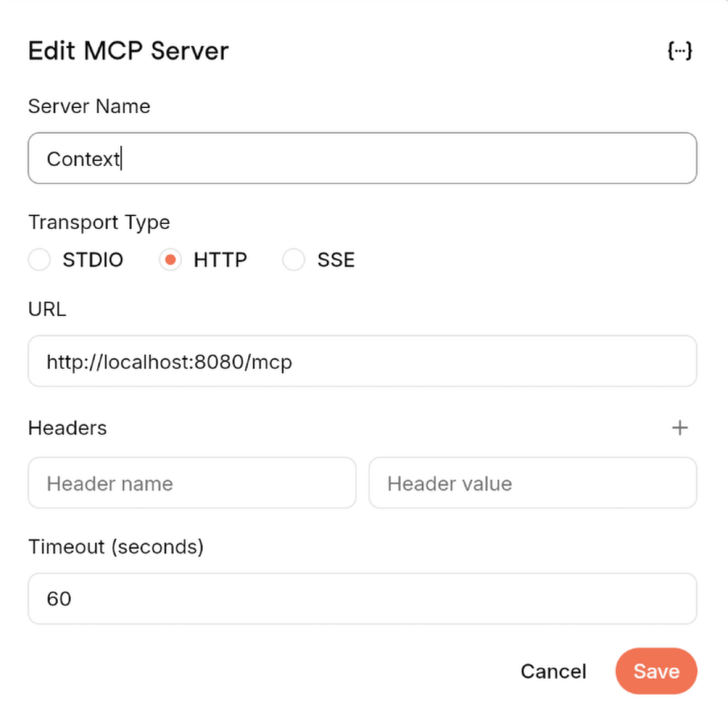
Name the MCP server whatever you would like, I went with Context.
Add the HTTP transport type
Add http://localhost:8080/mcp to the URL section.
There's a couple of other settings, but they aren't necessary for working through this tutorial.
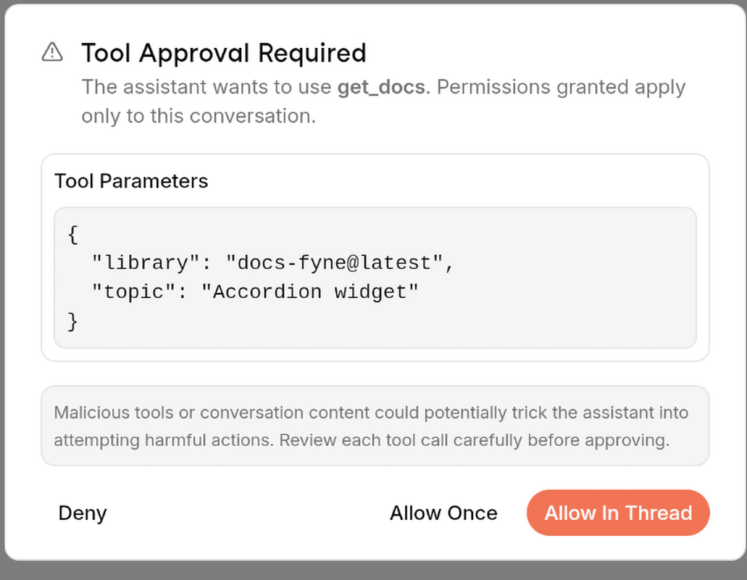
When using MCP servers in Jan, unless you change the setting to "Allow all MCP tool permissions" you will receive a prompt that looks like this.
Crush CLI
To setup the MCP server, we need to edit the Crush config.
Open the crush config type the following into the terminal: nano ~/.config/crush/crush.json.
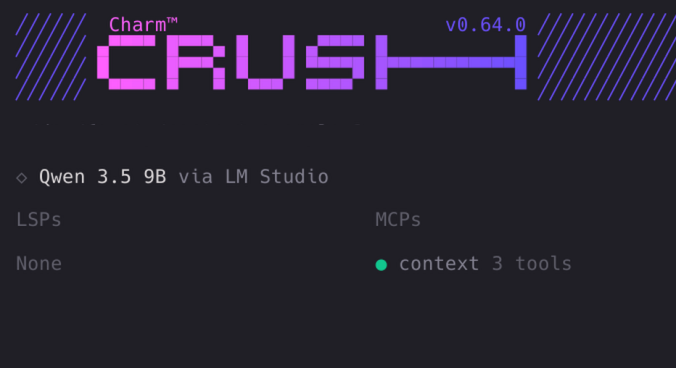
If everything has been added correctly, Crush should note the MCP server on start.
Using the MCP Server
Approximately zero people relish the opportunity to review LLM outputs. Actually zero people enjoy viewing the outputs from another person's machine, but for the sake of completeness and closure, I'll provide a summary of how I tested this. I've attached a zip folder of the conversations for anyone wanting to do a deep comparison. The Crush folders also have the relevant Go files because it is an agent rather than a chatbot.
I gave Jan.ai the prompt of "Create an example of a Fyne hello world app. Put 'Hello World' in an accordion." Jan returned two options: a "simple" and "complex" version. The simple one compiled without issue. The complex one had two problems. The first is that it imported a library that it didn't use, and the second was that it used a method that didn't exist on a given struct.
The Crush CLI did successfully create a Fyne "hello world with an accordion" on the first try, but, despite the MCP being available, it didn't use it. I modified the prompt to be "Create a Fyne hello world app that puts 'Hello World' in an accordion widget. Use docs-fyne from context MCP."
The Jan MCP results were the best. In addition to the fundamentally probabilistic nature of these things and the fact that these are different harnesses, I will also note that the exact model configurations between Crush and Jan differ. While both use 9B parameter models, they have different quantization (Q4_K_M vs IQ4_XS) and run on different hardware. Additionally, Crush has an even smaller 3B model available to it for simple tasks. Simply put, there are too many variables to determine one cause for the discrepancy in performance.
Neither set of MCP results nor the non-MCP knocked it out of the park, but MCP backed results will get you closer to the prompt intent faster.
Coda
If you're going to be regularly pulling information from different parts of the web, download it to save the network hops and give the infrastructure a break. It isn't required that this method be the way that happens, but it is here to make taking that considerate step easier. If you know some terrible offenders, forward thi sto them. Not only will doing this mean that you're actively not being a jerk on the internet but it will lessen the burden on our collective resources.
If none of that appeals to you, it means that less of your queries are being broadcast out to other parties, your bots will have faster responses because the information is local and they won't have to invoke a Javascript renderer to get around the hurdles to information, and you have better control what information might makes its way into your processes.
The different results across model harnesses, the delicate tower of cards that you must setup to get any of this, whether it be local or enterprise, anywhere close to useful signals to me that these are tools that require way too much domain knowledge for the average person. That being said, that simply plugging in accessible documentation to a 9 Billion parameter model improved the results that I found myself surprised at the improvement in quality. If, for whatever reason, working with an LLM is necessary, here's another path to not giving money to people immiserating the planet.
Postscript
Wanted to highlight crush-session-explorer a tool made it possible for me to export the conversations into Markdown from the crush.db SQLite database.